How to Redeem Cars VS Tape Codes
Find the Codes/Shop UI, enter strings correctly, and avoid common redeem mistakes.
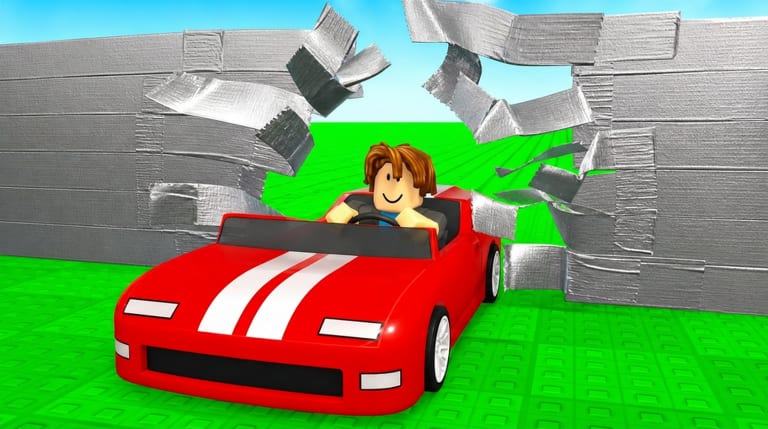
Redeeming codes in Cars VS Tape on Roblox is straightforward once you know which menu holds the input box. The experience is free to play, and codes — when they exist — grant free coins, wins, or other soft rewards that help you train faster and smash more tape layers. This guide walks through the UI flow, typo traps, and what to do when a code fails so you can return to the treadmill without frustration.
Before you redeem
- Launch Cars VS Tape (listed as [W3] Cars VS Tape by Speedy Car Games) from Roblox.
- Wait until the world fully loads and shops are interactive.
- Open Active Codes in another tab so you copy the exact string.
- Confirm you are on the correct Roblox account if you play on more than one profile.
Codes are usually case-sensitive. Spaces, extra punctuation, or mixing uppercase and lowercase can all cause a silent fail. Copy-paste when possible; type carefully if you must enter by hand on a phone.
Step-by-step redemption
1. Open the Codes or Shop UI
Look for a Codes button, gift icon, or a tab inside the main Shop interface. Developers sometimes nest the redeem field under Shop rather than a floating button. On smaller screens, scroll the menu list — the Codes entry can sit below cars, trails, trainers, or pets.
2. Enter the code
Paste the full string into the text field. Do not add spaces before or after. If the UI shows a placeholder like “Enter code,” clear any leftover text first.
3. Confirm and claim
Press Redeem, Submit, or the equivalent confirm button. A success toast or inventory popup should appear. If nothing happens, wait a few seconds — some servers lag before updating coins or wins.
4. Verify the reward
Check your coin and wins counters, then decide whether to spend immediately or keep farming. Early rewards pair well with Getting Started priorities: a modest car upgrade, a useful trail, or an egg toward pets often beats impulse purchases.
Common errors and fixes
| Symptom | Likely cause | What to try |
|---|---|---|
| Invalid / expired | Code retired or mistyped | Recheck Active Codes and spelling |
| Already redeemed | Account already claimed it | Stop retrying; codes are usually once per account |
| No Codes button | UI moved after an update | Open Shop tabs; see Patch Notes |
| Nothing happens | Lag or wrong server | Rejoin, then redeem once more |
If the wiki list is empty, do not invent strings from random comments. Check the official Roblox group shout and Discord when Active Codes says none are verified.
Safe habits
- Never share your Roblox password to “unlock” a code — legitimate rewards use the in-game field only.
- Ignore DMs that ask you to visit suspicious redeem sites.
- After claiming, continue the real loop: train speed on stations, smash tape walls, buy better cars and pets, then plan a rebirth when multipliers make sense.
- Optional game passes (Double Speed, x2 Wins, Auto Rebirth, treadmills) are separate from codes; you do not need a pass to redeem free strings.
After you redeem: spend with intent
Free currency feels best when it shortens a bottleneck. Use the Upgrades Tier List and How to Get Better Cars to decide whether coins should go into cars, trainers, trails, or eggs. If you are close to a rebirth threshold, holding currency for the next multiplier can outperform a small cosmetic buy.
For long-term planning, open the Rebirth Planner after a lucky drop so you know whether to push one more wall run or cash into permanent power.
Related pages
Redeem quickly when a code is live, then get back to smashing tape. The Codes UI is a bonus lane — training stations and smart shop choices still drive most of your wins in Cars VS Tape.
Frequently Asked Questions
Quick answers for Cars VS Tape progression questions.
Where is the Codes button in Cars VS Tape?
Look for a Codes button or a Codes tab inside the Shop UI. Menus can move after updates, so check both.
Why does my code say invalid?
It may be expired, mistyped, or already used on that account. Confirm the string on Active Codes, then try once more carefully.
Do I need a game pass to redeem codes?
No. Codes are free promotional rewards. Double Speed, x2 Wins, Auto Rebirth, and treadmill passes are optional and separate.
Can I redeem the same code twice?
Usually no. Most Roblox experience codes are once per account. A second attempt typically fails as already redeemed.
What if there are no active codes?
Use the redeem steps later when a drop appears. Meanwhile, farm walls and check the group or Discord linked from Official Links.